


Chess - Play and Learn Online review
 Analysis by GetAllApps
Chess can look simple from the outside: a board, two armies, and a race to checkmate. In practice, the game asks you to read patterns, plan ahead, and adapt when an opponent changes the position. Chess - Play and Learn Online brings that familiar challenge to mobile, with online play alongside ways to study tactics, solve puzzles, and review positions. I found its appeal easy to understand: it can serve both someone opening a chess app for the first time and a regular player looking for another match.
A familiar game, with room to learn
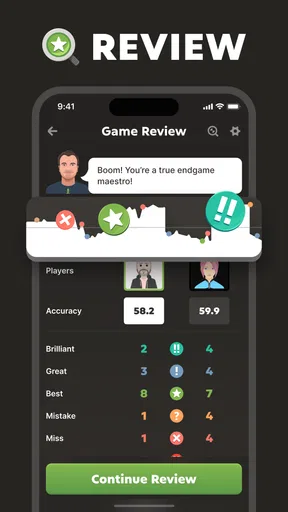
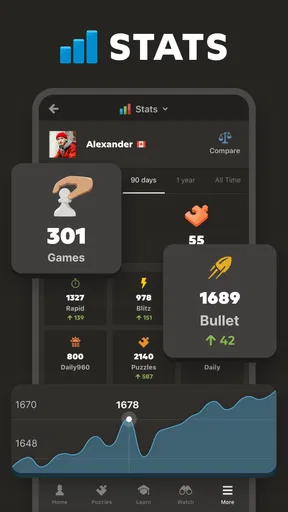
Published by Chess.com, this free board game has been around since February 1, 2010. Its store description sums up the central draw neatly: play chess online with friends, learn tactics, solve puzzles, and analyze games. That mix makes it more than a digital board for passing time. It gives players a reason to return after a match, whether the aim is simply to enjoy another game or to understand why a position went wrong.
The scale of its audience is striking: the game has over 100 million installs, with an average rating of 4.7 from around 3.5 million ratings. Those figures suggest broad interest, though they don’t tell you whether the experience will suit your needs. Chess remains a game of concentration, and a mobile screen can make some parts easier while making others less comfortable. The useful question is not only whether the app offers chess, but how approachable its play and learning experience feels across different abilities and situations.
Finding your way around
Navigation matters in a chess app because players may move between playing, practice, and reviewing a game. The overall concept here is straightforward: online chess sits alongside learning tools, puzzles, and analysis. Those activities also give the app a clear path for different intentions. You can come to play with friends, or spend time sharpening your understanding rather than starting a match.
For a newcomer, the learning focus is a welcome signal. Chess can be intimidating when every move seems to carry a hidden consequence, so having tactics and puzzles as part of the experience makes improvement feel like a natural part of play. A puzzle offers a defined problem to think through; analysis, meanwhile, points toward looking back at a position instead of treating the result as the whole story. That’s a more encouraging frame than expecting beginners to know everything before they begin.
The game’s name and familiar chess theme also make its purpose immediately clear. That helps people who already know what they want, but clarity of purpose is not the same as effortless navigation for everyone. Players differ in how quickly they can scan a screen, interpret symbols, or move between sections. If you rely on larger text, strong visual separation, or a particular assistive setup, it’s sensible to try the interface directly and see whether its controls and board are comfortable for you.
I also like that the product speaks to more than one skill level without making chess itself feel like a gatekeeping hobby. A seasoned player can focus on competitive thinking, while a learner can treat puzzles and analysis as practice. The app’s broad audience is part of its appeal, but beginners should still expect to learn chess conventions as they go. The game can support that process; it cannot remove the thinking and visual interpretation that chess requires.
Reading the board and making moves
Chess is intensely visual. Players need to distinguish pieces, track squares, and notice threats that may appear several moves away. On a phone or tablet, all of that happens within a compact display, so screen size, brightness, contrast, and the player’s preferred viewing distance can shape the experience. Someone who finds a small board tiring may be more comfortable on a larger device, while another player may be perfectly happy playing on a phone.
That variability is worth keeping in mind before settling into long sessions. The best way to judge readability is to open a position and look at it in the conditions where you normally play. Check whether the pieces are easy to identify, whether you can follow the board without straining, and whether surrounding interface elements compete for attention. These are personal comfort questions, not a universal pass-or-fail test.
Motor demands are another part of mobile chess. A player needs to select and move pieces accurately, and touch input can feel different depending on dexterity, device size, and how the screen is held. Some people will find tapping or dragging natural; others may need more time or a steadier position. I wouldn’t assume that one control style works equally well for everyone, so trying a few moves in a low-pressure game is a practical way to see how it feels.
There is also a sensory side to concentration. Chess asks you to focus on a changing visual arrangement, and a busy environment can make it harder to hold a plan in mind. A quiet setting may help some players, while others prefer short sessions between everyday tasks. The app’s central activity does not change, but the conditions around the device can make a substantial difference to comfort and attention.
Playing around everyday life
Online play gives chess a social dimension: the store description specifically highlights playing with friends. That can make the game feel less like solitary study and more like a shared pastime. It also suits people who want a familiar opponent without setting up a physical board. Whether you are reconnecting with a friend or simply enjoying a match, the appeal is easy to grasp.
Mobile access can fit into small pockets of free time, but chess is not always a good match for every moment. A player may need to concentrate, consider the board, and respond thoughtfully. Trying to make decisions while walking, handling another task, or dealing with frequent interruptions can make the experience frustrating. I see the app as convenient, not as a reason to ignore the surroundings or rush through a game when attention is elsewhere.
The learning options can also suit different rhythms. A player with a little time might work through a puzzle, while someone ready for a longer session can focus on a match. Analysis gives the game a reflective angle, encouraging players to revisit decisions instead of immediately moving on. That variety is useful because not everyone approaches chess with the same goal or the same amount of time available.
It is free to download, with optional in-app purchases priced from $1.00 to $229.99 per item. That range is broad, so it’s worth checking the purchase details in the app store and on the purchase screen before buying anything. The game is rated Everyone, which indicates a general-audience classification, but the rating alone does not describe how accessible the interface will feel to a particular player.
Where the experience may still be difficult
No digital version can make every part of chess effortless. The board remains a visual space, and a player must recognize pieces, understand their movement, and keep track of changing possibilities. For someone with low vision or difficulty distinguishing visual details, those demands may be a significant barrier unless the display works comfortably with their needs. I would not treat a broad audience rating or a large player community as proof that the app removes those obstacles.
Touchscreen input can likewise be a challenge for players who have limited precision, fatigue, or difficulty holding a device steady. A mistimed move can be especially frustrating in a game where each decision matters. Before committing to a long match, it makes sense to check whether selecting pieces feels reliable and whether the board remains comfortable to use over time. A larger screen may help some people, but it is not a guaranteed solution for every motor or visual need.
Learning chess also involves a lot of mental work. Tactics, patterns, and analysis can be rewarding, but they ask players to concentrate and remember what they have seen. Beginners may need patience as the rules and strategic ideas become familiar. That learning curve is part of chess itself rather than a flaw unique to this game, yet it can affect whether a new player enjoys the first few sessions.
Online play brings its own practical considerations. A match depends on having a suitable moment to focus and a stable enough connection for the way you intend to play. If you are interrupted often, or if you prefer games that can be paused without consequence, consider your routine before starting. The app’s range of chess activities offers alternatives to a full match, but the basic game still rewards attention.
A welcoming idea, with personal limits
What I appreciate most is the combination of playing and learning. The app presents chess as something you can enjoy socially and improve at over time, rather than a skill you must already possess. Puzzles and analysis give curious players ways to engage with the game beyond simply winning or losing, and that can make practice feel purposeful.
At the same time, inclusivity is about more than offering several kinds of chess activity. Readability, touch accuracy, sensory comfort, and the ability to concentrate all influence whether a person can use a mobile chess game with ease. Those factors vary from one player and device to another. Taking a moment to test the board and controls in your usual setting is more useful than assuming the same experience will suit everyone.
Chess - Play and Learn Online is a compelling choice for people who want a familiar board game with online play and built-in opportunities to study. Its free entry point and clear focus make it easy to consider, whether you are returning to chess or just starting out. Optional purchases are available, so review them carefully before spending. Most importantly, judge the game by how comfortably you can see the board, make moves, and enjoy the pace. For players whose needs align with its visual and touch-based format, it offers a satisfying place to play, practice, and keep learning.
Pros and cons
Pros
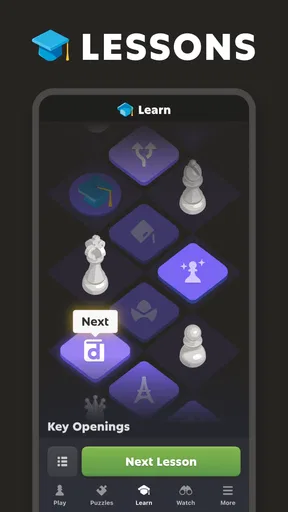
- Lessons explain chess concepts in clear steps.
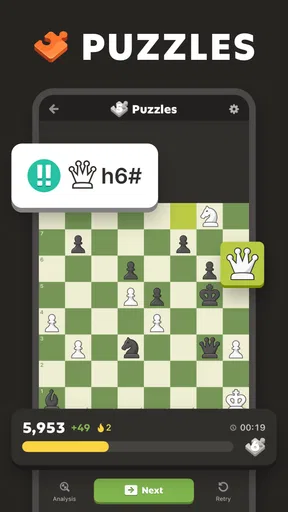
- Puzzles offer a focused way to practice tactics.
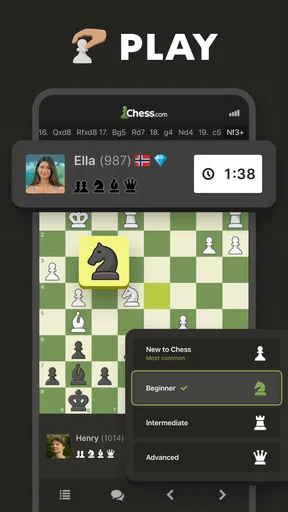
- You can play against opponents online.
- Game analysis helps identify mistakes after a match.
- The app suits beginners and experienced players.
Cons
- Some lessons and features require a paid membership.
- A stable internet connection is needed for online play.
- Online games can be affected by opponent disconnections.
- The range of features may feel overwhelming at first.
- Ads may interrupt the experience for free users.


